Because roadside.market is a community-powered map, anyone can drop a pin when they discover a great neighborhood egg stand, honey table, or seasonal produce cart. That means your stand might already be on the map—or you might be ready to add it yourself.
When you claim and verify your stand, it transforms from an editable public community pin into your official digital farmgate. Here is how stand ownership and verification work on roadside.market.
Community Pin vs. Claimed vs. Verified: What’s the Difference?
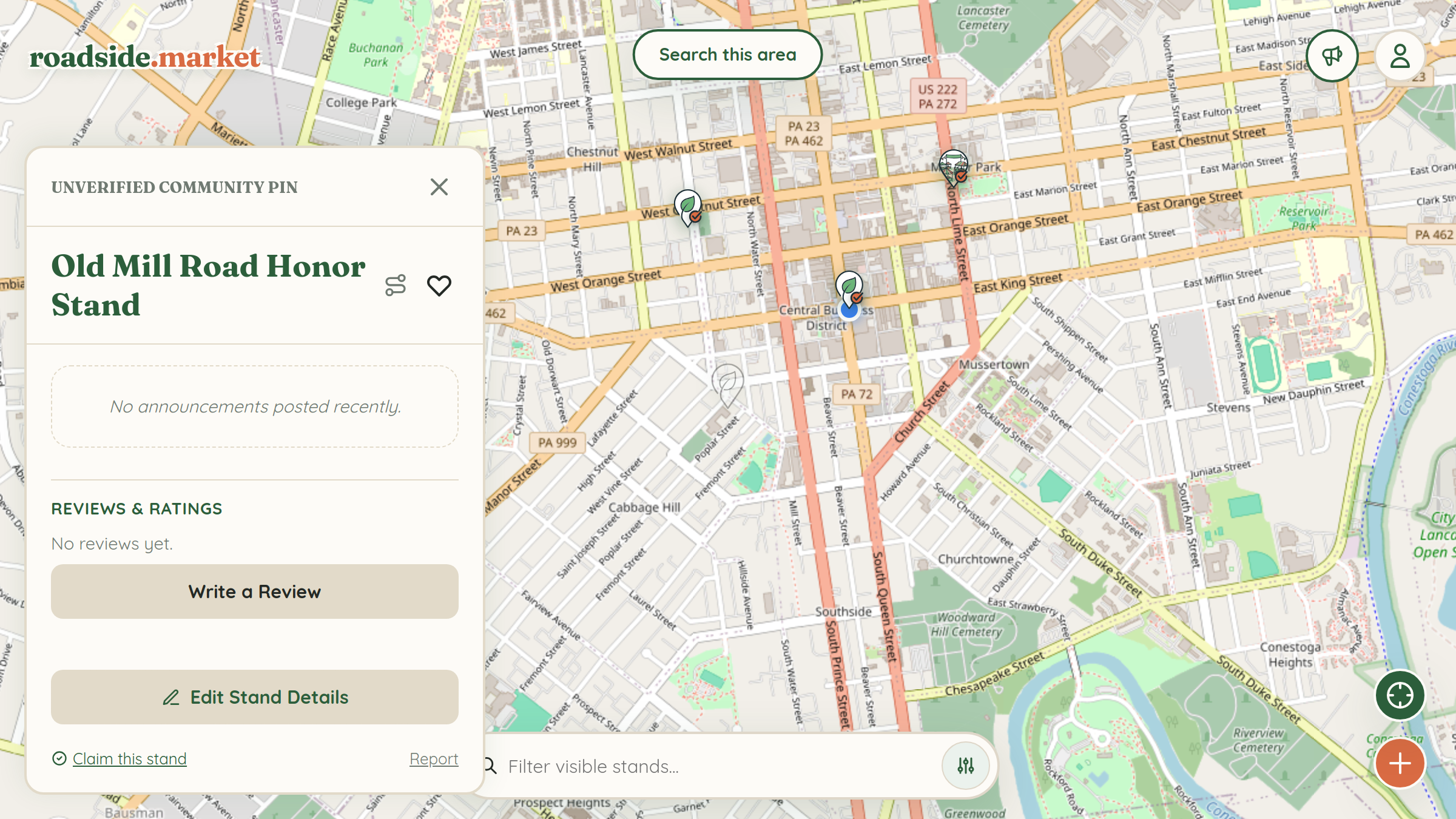
- Unverified Community Pin (Brown/Orange): Any shopper can suggest edits to hours, categories, or descriptions so the local community can keep unowned stands accurate.
- Claimed Stand (Green Leaf Pin): Once you claim your stand, editing is locked exclusively to you. Your stand links to your public Business Profile and unlocks the Business Manager.
- Roadside Verified Badge: Claimed stands that display an official weatherproof Roadside Verified sticker at their physical stand earn the checkmark badge on their map pin and detail card, signaling to travelers that the stand is actively maintained by the grower.
Step 1: Find or Add Your Stand on the Map

First, sign in to your free account using the User Menu in the top-right corner of the map. Pan to your property on the map:
- If a neighbor already added your stand, tap the pin to open its details drawer.
- If your stand isn't on the map yet, tap the "+" (Add Location) button in the bottom-right corner, position the crosshair right where customers pull up, and save your listing.
Step 2: Click "Claim this Stand"

Open your stand's detail card and scroll to the bottom below the Reviews section. Click "Claim this stand". This immediately links the pin to your Business Profile as the owner and prevents public crowdsourced edits from overwriting your hours or description.
Step 3: Get Roadside Verified (And Fund the RHIF!)
Want the official Verified checkmark badge on your map pin? Click "Get Roadside Verified" at the top of your claimed stand card or visit the roadside.market Shop to order a weatherproof Verification Sticker Kit. Even better: 90% of net profits from every kit go straight into the Roadside Homestead Improvement Fund (RHIF) to award $250 micro-grants back to claimed stands like yours.
What to Set Up Next After Claiming
Once your stand is claimed, explore our single-feature guides to configure your owner tools one by one: