If you bake sourdough, laminated pastries, or pies from a home kitchen—or harvest Friday produce boxes from a market garden—timing is everything. Sourdough starter needs to be fed 36 hours before bake morning, dough needs cold fermentation, and you need to know your exact loaf count before you start mixing.
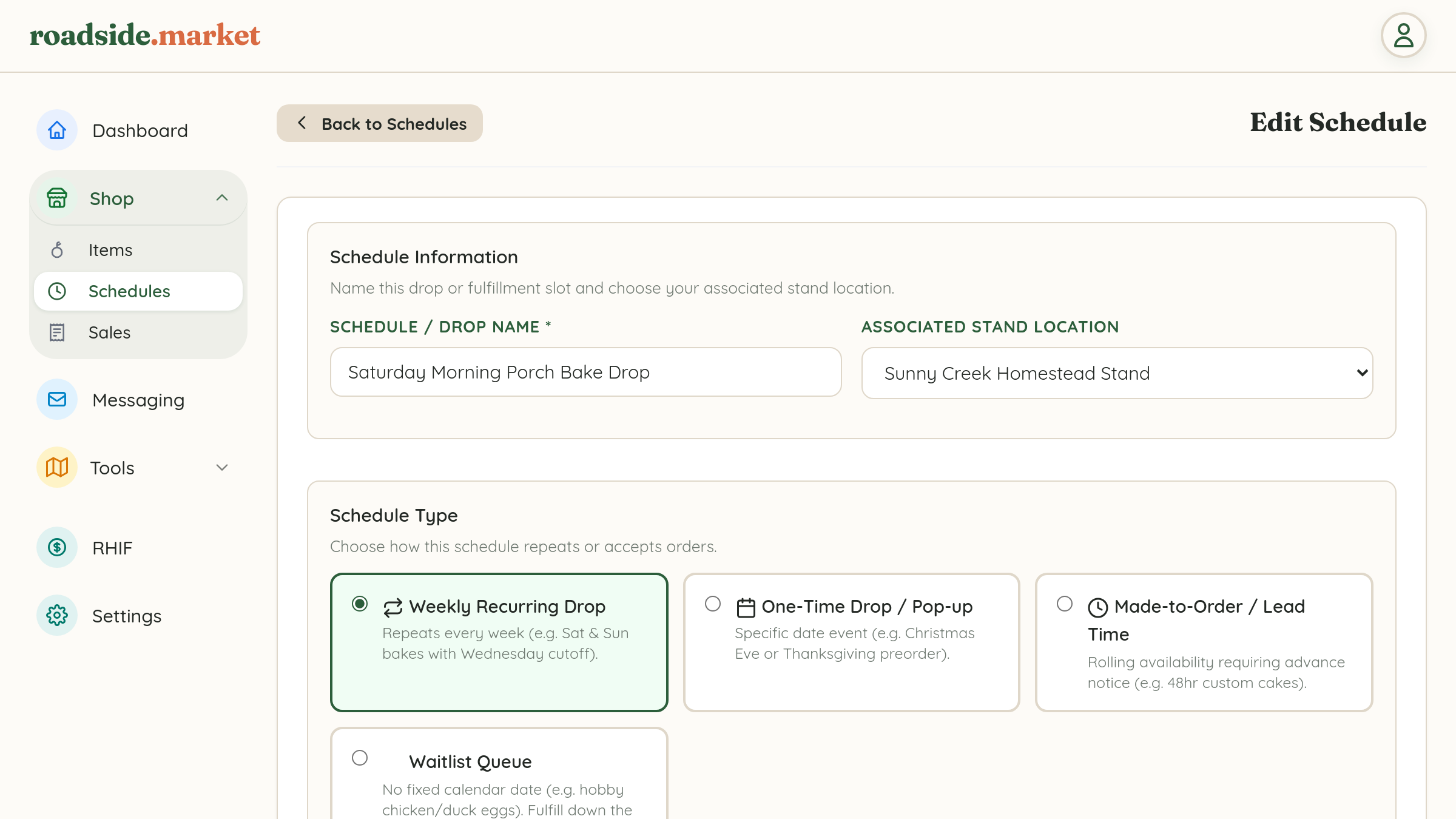
Instead of manually opening and closing your online shop every week, the Schedules engine in Business Manager → Shop → Schedules automates your entire pre-order calendar.
1. Weekly Recurring Drops (Set It and Forget It)
Most cottage bakers and weekly farmstands run on a repeating rhythm—for example, baking every Saturday morning with orders due by Thursday evening. With Weekly Recurring Drop mode, you configure:
- Pickup Days of the Week: Select one or more repeating days (e.g., Saturday, or Wednesday & Saturday).
- Daily Pickup Window: Set the exact hours customers can pick up (e.g., 9:00 AM – 1:00 PM).
- Weekly Order Cutoff Day & Time: Choose when pre-orders lock for the week (e.g., Wednesday at 6:00 PM).
- Customer Booking Horizon: Choose whether buyers can book only the Next upcoming batch (1 week ahead) or schedule orders up to 2, 3, or 4 weeks in advance.
2. One-Time Drops & Holiday Pop-Ups

Planning a special Thanksgiving Pie pre-order, a Christmas Eve cinnamon roll drop, or a Mother's Day flower bouquet pop-up? Select One-Time Drop / Pop-up mode:
- Set the exact calendar Pickup Start Date & Time and Pickup End Date & Time.
- Set the exact Order Cutoff Date & Time.
- Assign your special holiday menu items exclusively to that event schedule!
3. Made-to-Order / Lead Time Schedules
Do you take custom cake orders, artisan charcuterie boards, or farm gift boxes any day of the week as long as you have advance notice? Select Made-to-Order / Lead Time mode:
- Choose your Minimum Lead Time: 12 hours, 24 hours (1 day), 48 hours (2 days), 72 hours (3 days), 4 days, or 1 week advance notice.
- Set how many weeks out customers can book on your rolling calendar.
4. Per-Schedule Payment Policies, Capacity & Pickup Notes
At the bottom of every schedule, you have granular control over checkout and fulfillment:
- Payment Policy at Checkout: Choose between Require Online Payment (Stripe, Square, PayPal), Allow Pay at Pickup / COD (customer chooses online card or cash/Venmo on arrival), or Pay at Pickup Only.
- Batch Capacity Limit: Cap the maximum number of orders accepted for that window so your kitchen stays stress-free.
- Pickup Instructions & Location Notes: Give clear instructions (e.g., "Pick up from the white cooler on the front porch—your name will be on your bag!") that appear on the customer's order confirmation screen.
Once your orders come in, head over to your Batch Prep & Packing Sheet to see your aggregated bake counts and print your packing checklist!