Every honor-system shopper knows the feeling: your hands are full with a carton of duck eggs ($6), two jars of raw honey ($12 each), and a bunch of heirloom carrots ($3), and you're trying to do mental math on the porch before dropping bills into the cash slot or sending a Venmo payment.
And for the stand owner, there's the flip side of the honor box: at the end of the day, you count $94 in cash and three Venmo notifications, but you have no easy way to see how many walk-up transactions happened or compare your roadside cash box revenue against your online storefront pre-orders.
The Walk-Up Stand Calculator & Unified Sales Ledger solves both problems at once.
For Shoppers: Fast Honor Box Tallying & Digital Wallet Receipts
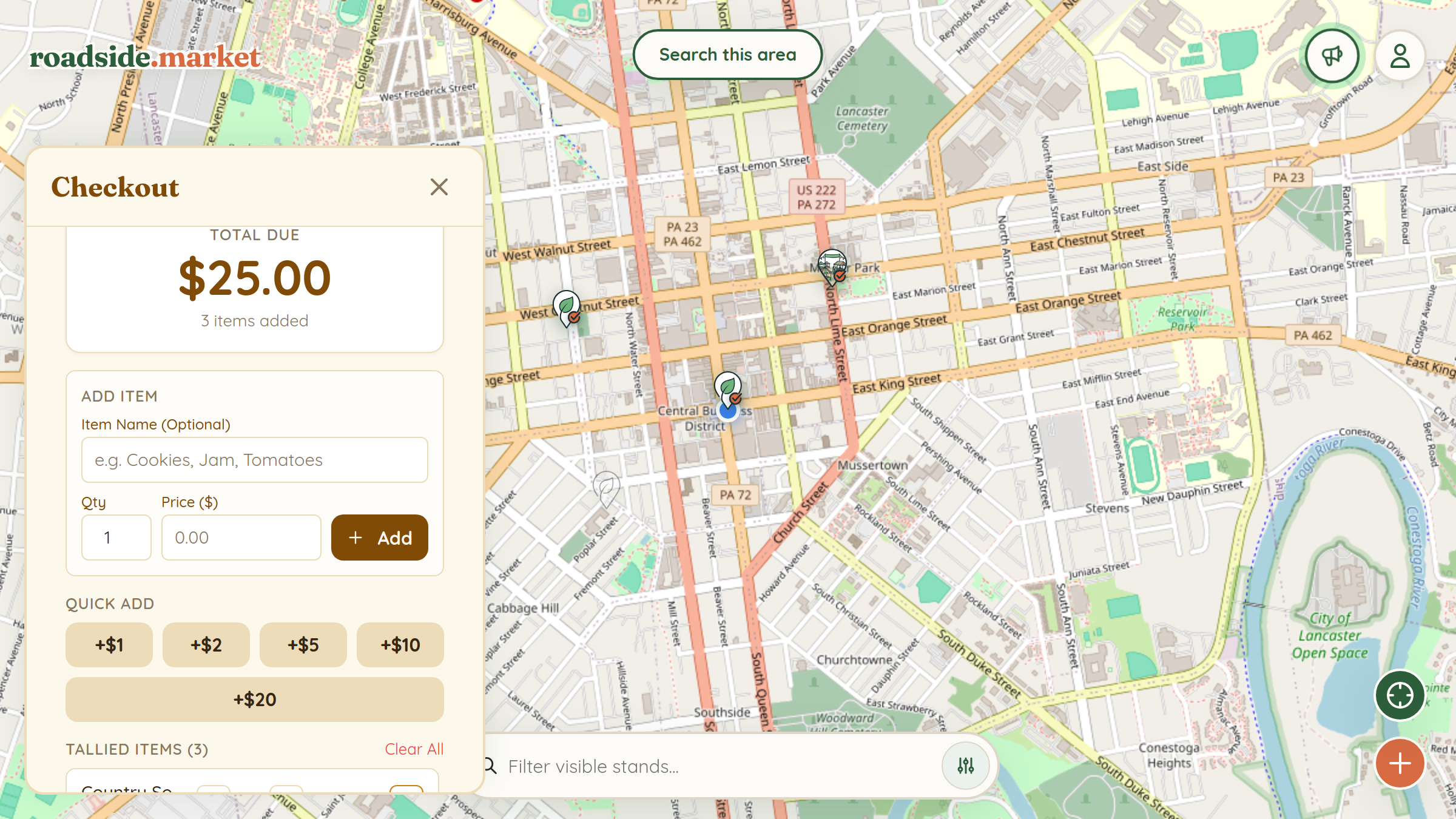
When you're standing at a farmstand, open its card on roadside.market (or scan the stand's QR code sign) and tap the Calculator button:
- Quick-Add Dollar Buttons: Tap +$1, +$2, +$5, +$10, or +$20 to add whole-dollar items in seconds.
- Itemized Entries: Want to remember exactly what you bought? Enter the item name (e.g., "Jalapeno Cheddar Loaf" or "Honeycomb Jar"), quantity, and price.
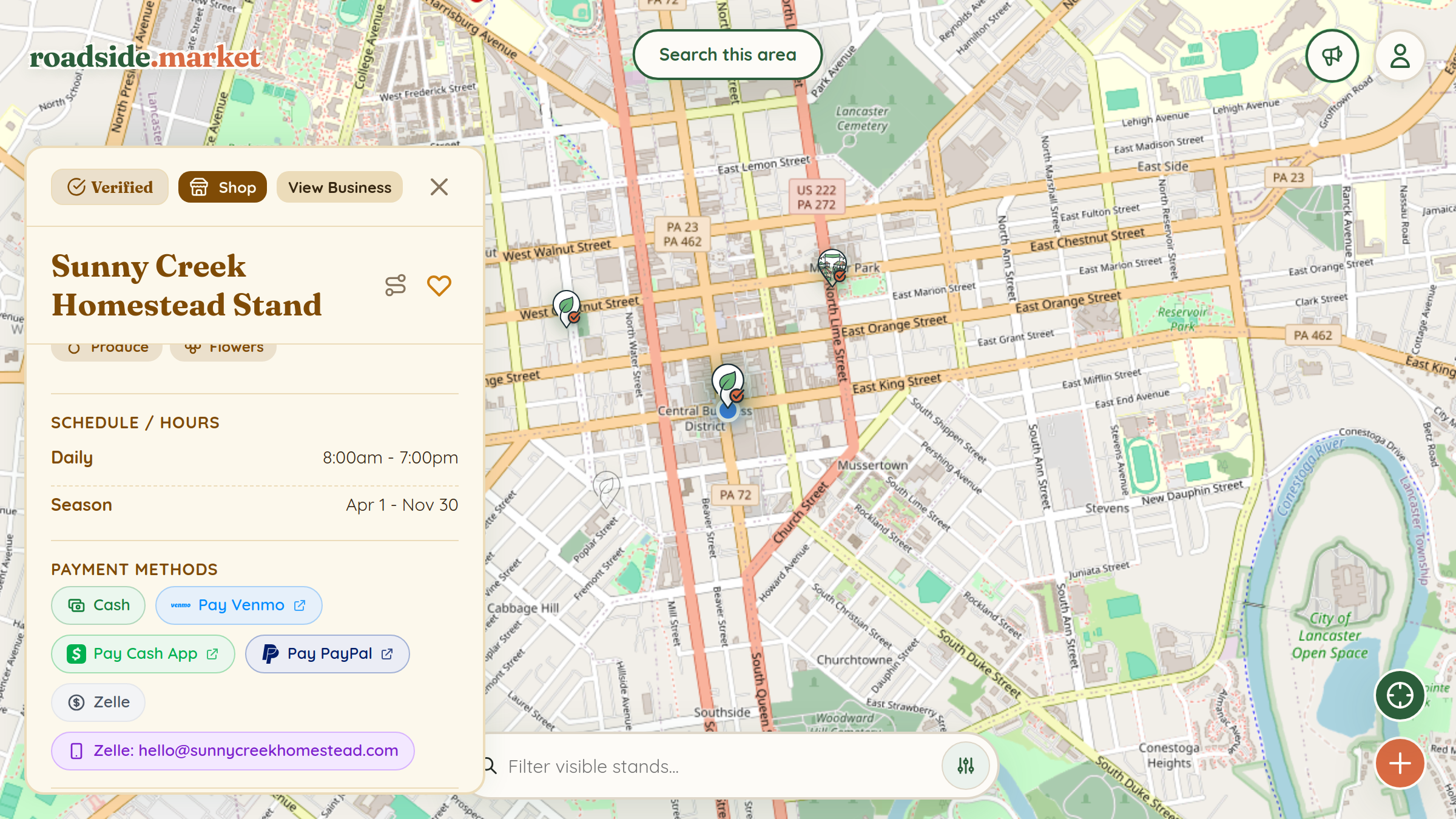
- Accepted Payment Chips Built In: The top of the calculator shows the stand's accepted payment methods and one-tap payment handles.
- Digital Receipts in Your Wallet: Select how you paid and tap Save Receipt. Your itemized receipt is saved to Account → Wallet → Stand Receipts so you can look back on all your favorite farm stops anytime.
For Stand Owners: The Unified Sales Ledger

Whenever a shopper saves a calculator receipt linked to your claimed stand, that receipt is automatically recorded in your Business Manager under Shop → Sales → All Sales & Receipts:
- Three Revenue Cards at a Glance: See your Total Sales broken down side-by-side into Online Pre-Orders and In-Person Receipts.
- One-Click Activity Filters: Filter your chronological sales feed by All Sales, Online, In-Person, or Waitlist, or filter by a specific stand location if you run multiple stands.
- Dashboard Analytics Chart: On your main Business Manager Dashboard, the Orders Over Time chart plots your combined daily online pre-orders and walk-up receipts over the last 7, 14, 30, or 90 days.